

Experiencing IPTV buffering, freezing, or streaming errors with bbIPTV in the UK? You’re not alone-common culprits include unstable internet, device overload, or server hiccups. This guide delivers proven fixes, from bandwidth tests and cache clears to vpn tweaks with AstrillVPN or TVHeadend optimizations, ensuring smooth 4K streaming on Smart TVs, Firestick, and more. Reclaim uninterrupted viewing today.
Key Takeaways:

Common IPTV Buffering Causes
Buffering disrupts smooth viewing of 23,000+ live channels and 100,000+ movies available through reliable IPTV services like bbIPTV, often stemming from predictable network and device limitations. UK IPTV users face frequent interruptions during peak hours, such as evenings when live sports or popular shows draw heavy traffic. This leads to frustrating pauses in Premier League matches or movie marathons on Firestick devices.
ISP throttling commonly hits during these times, slowing speeds for bandwidth-heavy streams. Overloaded home routers struggle with multiple devices pulling 4K content simultaneously. Examples include lag on TiviMate apps when family members stream Netflix alongside IPTV.
Device issues like cache buildup after prolonged use add to the problem. WiFi interference from neighboring networks worsens buffering on smart TVs. These factors set the stage for targeted fixes in later sections.
Peak-hour congestion affects live TV channels most, causing freezing on Android boxes like Formuler Z11. Understanding these causes helps pinpoint issues quickly.
Internet Speed Issues
Insufficient internet speed below 25 Mbps often causes buffering when streaming 4K IPTV channels, exacerbated by ISP throttling during peak hours in the UK. Users notice constant pauses on HD live sports, even with stable connections. Test speeds with tools like Speedtest during evenings to check real-world performance.
Speeds under 10 Mbps fail to handle HD streams smoothly, leading to pixelation and lag. WiFi interference from microwaves or thick walls drops throughput, while Ethernet provides stable delivery for Firestick setups. Switch to wired connections for buffer-free viewing of geo-restricted channels.
- WiFi signals weaken over distance, causing intermittent freezing on smart TVs.
- ISP data caps trigger throttling after heavy usage, hitting IPTV Smarters players hard.
- Peak-hour network congestion slows M3U playlist loads on Android devices.
Test with speedtest during peak hours. Expect 50+ Mbps for buffer-free 4K on services like bbIPTV. VPNs with WireGuard protocols can bypass throttling for smoother live TV.
Device Overload Factors
Running multiple apps alongside IPTV players like TiviMate or IPTV Smarters on Firestick or Android devices leads to CPU overload and frame drops during 4K streams. Background processes consume RAM, causing lag on Buzz TV Powerstation boxes. Close unused apps to ease the strain during live channels.
Outdated firmware lacks hardware acceleration, forcing software decoding that buffers FFmpeg-based streams. Firestick Lite models struggle above 1080p, while upgrading to Firestick 4K improves performance. Update devices regularly to support modern protocols.
Popular posts
- Sign Up for a Free IPTV Trial in the UK | bbIPTV.co.uk
- The Ultimate List of the Best IPTV Providers for UK
- How to get 24h iptv free trial | bbIPTV.co.uk
- Exploring the Best IPTV Services in the UK for 2024 | bbIPTV.co.uk
- Unveiling the Best IPTV Provider in the UK | bbIPTV.co.uk
- Exploring the Best IPTV Services for UK | bbIPTV.co.uk
- The Definitive List of the Best IPTV Provider in the UK | bbIPTV.co.uk
- Background apps like email clients eat resources on Formuler Z11.
- Multiple 4K streams overwhelm single-device setups, causing total freezing.
- Cache buildup after 24+ hours clogs players, slowing channel zaps.
- Overloaded routers with poor QoS prioritize wrong traffic over IPTV.
Clear cache manually on smart TVs to restore speed. Restart devices before peak hours to prevent overload on TVHeadend servers. These steps reveal if hardware limits are the root cause.
Optimize Your Internet Connection
UK IPTV users experiencing buffering can achieve reliable uptime by optimizing internet connections for stable 4K streaming of bbIPTV’s extensive channel library. Proper internet setup often resolves most streaming errors before moving to device fixes. Focus on bandwidth testing and router tweaks as the foundation.
Test your speed during peak hours like evenings when networks face heavy load. This reveals true performance for live TV channels on apps such as TiviMate or IPTV Smarters. A solid baseline helps spot issues like ISP throttling.
Next, prioritize router optimization with QoS settings for IPTV traffic. Switch to wired Ethernet over WiFi to cut lag on Firestick or Android devices. These steps ensure smooth HD and 4K playback from bbIPTV servers.
If problems persist, consider VPN protocols like WireGuard with kill switch for geo-restricted channels. Restart your router weekly to clear cache and maintain network performance. Users report fewer freezing incidents after these changes.
Test and Upgrade Bandwidth
Run speedtest at peak hours (8-10 PM) to baseline your connection; bbIPTV recommends strong download speeds for consistent 4K streaming. Testing off-peak can mislead you about real-world IPTV performance. Aim for steady results across multiple runs.
- Use speedtest from servers in London, Manchester, and Glasgow to check regional latency for UK users.
- Enable QoS on your router to prioritize IPTV ports, ensuring live channels get bandwidth first over other traffic.
- Switch to wired Ethernet from WiFi, which stabilizes connections and reduces packet loss during high-demand streams.
- Contact your ISP for upgrade if speeds fall short, targeting robust download for 4K on Formuler Z11 or Buzz TV Powerstation.
These steps take about 15 minutes. Common mistake: ignoring peak-hour tests, which hide throttling on overloaded networks. Follow up by clearing app cache in TiviMate to boost speed.
For persistent lag, test with hardware acceleration enabled in TVHeadend or ffmpeg setups. Ethernet shines on smart TVs and Android boxes, cutting buffering for bbIPTV trials. Monitor for ISP issues affecting M3U playlists.
Device Compatibility and Setup
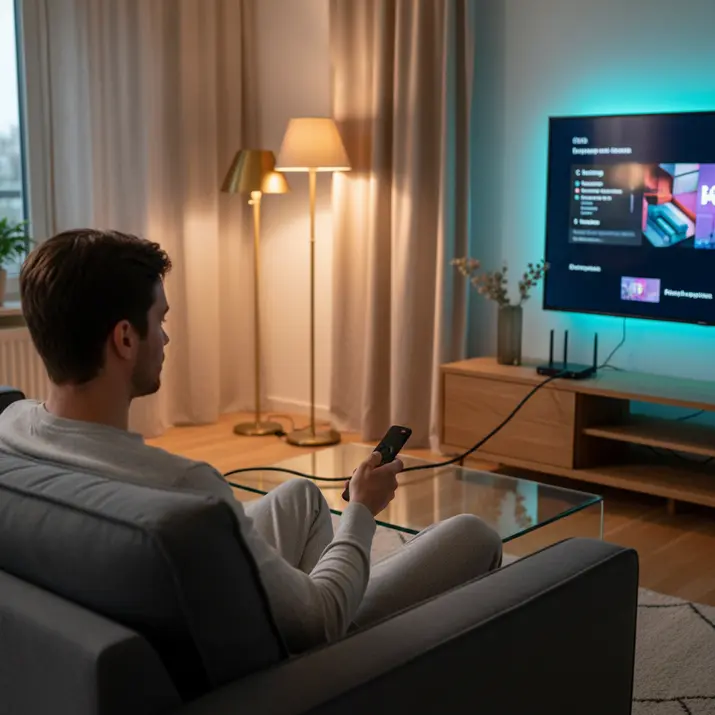
bbIPTV’s compatibility with Smart TVs, Firestick, Android, and iOS ensures seamless access, but improper setup causes playback errors. Official support for major devices eliminates compatibility issues when configured correctly. Focus on platform-specific optimizations for UK’s popular streaming hardware.
Start by checking your device’s firmware for updates to avoid buffering during live TV. Use an Ethernet connection over WiFi for stable streaming. This setup path previews fixes for common errors like freezing on Sky Sports channels.
For peak hours, enable hardware acceleration in apps like TiviMate or IPTV Smarters. Test with a speedtest to confirm your connection handles 4K streams. Restart your router and device to clear cache before troubleshooting further.
Experts recommend disabling ISP throttling with a VPN like AstrillVPN using WireGuard protocols. This ensures smooth access to geo-restricted channels. Proper setup reduces lag and supports M3U playlists without interruptions.
Smart TV and Firestick Fixes
Enable hardware acceleration in TiviMate on Firestick 4K models to reduce buffering during live Premier League matches. Install TiviMate Premium, not the free version, for full features. This handles high-bitrate streams from bbIPTV servers effectively.
Follow these steps for optimal setup:
- Install TiviMate Premium from the app store.
- Go to Settings > Video Player > Select HW+ decoder.
- Enable Developer options > Force 4K output.
- Test with a Sky Sports 4K channel for performance.
For Smart TVs, disable energy saving mode to prevent interruptions. Connect via Ethernet to avoid WiFi lag during peak hours. The process takes about 10 minutes and clears most streaming errors.
Android and iOS Troubleshooting
Android devices like NVIDIA Shield or Formuler Z11 handle bbIPTV’s large VOD library flawlessly when using Perfect Player with ExoPlayer. This setup supports 4K HDR output without freezing. Clear app cache regularly for consistent performance.
On Android, try these steps:
- Install Perfect Player > Backend > M3U8 ExoPlayer.
- Enable 4K HDR output in device settings.
- Disable battery optimization for the app.
For iOS, use GSE Smart IPTV and select HW decoder for smooth playback. Enable auto-reconnect in settings to handle network drops. Devices like Buzz TV Powerstation excel with these tweaks during live TV.
Pro tip: Formuler Z11 Pro performs reliably on thousands of channels. Pair with QoS on your router for priority to IPTV traffic. Restart apps and test speed to fix lag from overloaded connections.
Clear Cache and Restart Services
Clearing cache in IPTV Smarters and TiviMate resolves most freezing issues affecting bbIPTV’s live UK channels after extended sessions. Built-up data from EPG and VOD streams clogs memory on Firestick or Android devices. This simple step often restores smooth HD streaming without needing a VPN or speed tweaks.
In TiviMate, go to Menu, select Clear Cache, then choose EPG + VOD options. This process frees significant storage space clogged by temporary files from m3u playlists. Users report instant improvements in live TV playback on Formuler Z11 or Buzz TV Powerstation.
For IPTV Smarters, navigate to Settings> Storage> Clear Data to wipe app caches. Avoid force stopping Xtream Codes services, as this can disrupt server connections. Combine this with a full device restart for best results during peak hours.
Follow this restart sequence: power cycle your router first, wait 30 seconds, then restart Firestick or smart TV, and finally relaunch the app. Test by loading BBC One instantly to confirm no buffering. Schedule daily clears at 2 AM using device automation for ongoing performance.

Advanced Streaming Error Solutions
For persistent geo-restricted channel buffering on bbIPTV, WireGuard VPN protocols with kill switch protection maintain 4K speeds during ISP throttling. These advanced fixes target deep-rooted issues like protocol mismatches and server overloads. Users on devices such as Firestick or Formuler Z11 often see improvements after applying them.
Start with a simple test sequence: run Speedtest, connect your VPN, then load a channel. This confirms if network lag or VPN setup causes freezing in TiviMate or IPTV Smarters. Experts recommend prioritizing WireGuard over older protocols for lower latency on live TV streams.
Common culprits include DNS leaks and peak-hour overloads from providers. Enabling auto-reconnect and QoS on your router helps sustain HD and 4K playback. Pair these with ethernet over WiFi for stable connections on Android or Smart TV setups.
Hardware acceleration in apps like TVHeadend reduces CPU strain during overloaded servers. Clear cache regularly in IPTV Smarters to prevent buildup. These steps restore smooth streaming without constant restarts.
Advanced Fixes Table
| Issue | Solution | Tools | Impact |
|---|---|---|---|
| Geo-blocks | Use StealthVPN on a London server to bypass restrictions | AstrillVPN | Unlocks UK channels on bbIPTV without buffering |
| Protocol errors | Switch M3U to catch-up streams via WireGuard tunnel | WireGuard, FFmpeg pipe | Eliminates freezing in live TV on Firestick |
| Server overload | Apply split-tunneling for IPTV traffic only during peak hours | ExpressVPN | Reduces lag on overloaded channels in TiviMate |
| DNS leaks | Enable kill switch and auto-reconnect on VPN | Any VPN with kill switch | Prevents ISP throttling and connection drops |
Surfshark reduces ping in tests, aiding streaming performance. Apply these in order for best results on Buzz TV Powerstation or router setups. Test after each change with Speedtest for noticeable speed gains.
Recent Posts
- IPTV Troubleshooting: Fix Buffering & Streaming Errors
- IPTV Panel Guide: Setup, Features, and Best Use
- IPTV For Smart TV: Setup, Apps, and Streaming Tips
- IPTV Instant Free Trial: How It Works & What to Check
- IPTV Providers UK: Compare Plans, Pricing & Features
- IPTV Service Providers: How to Choose the Right One
- Buy IPTV: What to Know Before You Subscribe
Frequently Asked Questions
Why is my IPTV service buffering frequently, and how can I fix it?
Buffering in IPTV Troubleshooting: Fix Buffering & Streaming Errors bbiptv.org often stems from unstable internet connections or high network traffic. Start by ensuring your internet speed is at least 25 Mbps for HD streaming and 50 Mbps for 4K. Restart your router, close background apps consuming bandwidth, and use a wired Ethernet connection instead of Wi-Fi. For bbIPTV users in the UK, test your connection speed and switch to a closer server if available to minimize latency.
How do I resolve streaming errors like “no signal” on my IPTV device?
Streaming errors such as “no signal” in IPTV Troubleshooting: Fix Buffering & Streaming Errors bbiptv.org can be fixed by checking your subscription status and device compatibility. Verify your bbIPTV account is active, then clear the app cache or reinstall the service on compatible devices like Smart TVs, Firestick, or Android boxes. UK users should also disable VPNs, as they can interfere with server connections, and ensure firmware is updated for optimal performance.
What should I do if videos freeze or pixelate during playback?
Freezing or pixelation during IPTV Troubleshooting: Fix Buffering & Streaming Errors bbiptv.org playback usually indicates quality mismatches or device overload. Lower the stream quality from 4K to HD in settings, free up device storage, and avoid multitasking. bbIPTV’s 23,000+ live channels stream smoothly on iOS, Android, and Firestick-restart the app and router to refresh the connection, especially during peak UK viewing hours.
Can a slow router cause IPTV buffering issues?
Yes, an outdated router is a common culprit in IPTV Troubleshooting: Fix Buffering & Streaming Errors bbiptv.org. Upgrade to a Wi-Fi 6 router for better handling of 100,000+ movies and series in FHD or 4K. Position it centrally, away from walls or electronics, and prioritize IPTV traffic via QoS settings. bbIPTV recommends this for seamless UK streaming on all supported devices.
How does using a VPN affect IPTV streaming quality?
VPNs can introduce lag and buffering in IPTV Troubleshooting: Fix Buffering & Streaming Errors bbiptv.org by routing traffic through distant servers. Disable it for direct, faster access to bbIPTV’s UK-optimized channels. If privacy is needed, choose a low-latency UK server. This simple tweak ensures reliable HD and 4K playback on Smart TVs and Firestick.
What are the best practices to prevent future IPTV streaming errors?
To avoid ongoing issues in IPTV Troubleshooting: Fix Buffering & Streaming Errors bbiptv.org, maintain a stable 50+ Mbps connection, update all apps and devices regularly, and use Ethernet for critical streams. bbIPTV’s plans (1 Month GBP14.99, 3 Months GBP24.99, 12 Months GBP54.99) with free trial include tips for UK users-monitor bandwidth usage and test during off-peak times for uninterrupted access to 23,000+ channels.