

Looking to enhance your Firestick with seamless IPTV streaming? UK viewers demand reliable access to 23,000+ live channels and 100,000+ movies in up to 4K quality, and bbIPTV delivers on compatible devices like Firestick. This guide covers essential IPTV for Firestick setup, top apps, and streaming tips to ensure buffer-free viewing from your favourite UK spots.
Key Takeaways:

Best IPTV Apps for Firestick
Look into the top IPTV apps compatible with Firestick that support seamless streaming of 23,000+ live channels and 100,000+ movies and series in up to 4K quality from services like bbIPTV.
These apps excel in Firestick compatibility and deliver smooth playback for HD, FHD, and 4K content. Users appreciate their ease of use with the Firestick remote.
Choose based on your needs, such as EPG support or catch-up features. The table below compares key options for IPTV for Firestick setup.
| Tool Name | Price | Key Features | Best For | Pros/Cons |
|---|---|---|---|---|
| TiviMate | Free / Premium $4.99/year | 4K playback, EPG, catch-up TV, Firestick remote integration | Advanced users | Pros: Intuitive UI, reliable. Cons: Premium for full features. |
| IPTV Smarters Pro | Free | HD/FHD/4K support, parental controls, multi-screen | Beginners | Pros: Simple setup. Cons: Ads in free version. |
| GSE Smart IPTV | Free | Playlist manager, 4K streaming, Chromecast support | Multi-device users | Pros: Versatile playlists. Cons: Cluttered interface. |
| Perfect Player | Free | EPG, recording, HD/4K playback | Customization fans | Pros: Highly customizable. Cons: Steeper learning curve. |
| PVR IPTV Simple Client | Free (Kodi addon) | Basic playback, EPG integration, Firestick optimized | Kodi users | Pros: Lightweight. Cons: Requires Kodi. |
| Kodi | Free | Addon support, 4K streaming, full media center | All-in-one setups | Pros: Expandable. Cons: Complex initial setup. |
For beginners, TiviMate and IPTV Smarters Pro offer the lowest learning curves. TiviMate’s intuitive interface suits UK users seeking reliable playback with bbIPTV.
Top Recommended Players
TiviMate stands out as the top recommended player for Firestick users due to its robust EPG support and multi-protocol compatibility ideal for bbIPTV’s extensive library.
Setup takes under 5 minutes via sideloading the APK. Key features include catch-up TV, 4K playback, and Firestick remote integration. Users on Amazon Appstore praise its stability, with reviews highlighting smooth navigation.
- Tip: Customize EPG colors for better visibility during sports events.
IPTV Smarters Pro provides a clean dashboard for quick access. It supports 4K streams and includes parental controls. Amazon Appstore ratings commend its family-friendly options, with setup under 5 minutes.
Popular posts
- Sign Up for a Free IPTV Trial in the UK | bbIPTV.co.uk
- How to get 24h iptv free trial | bbIPTV.co.uk
- The Ultimate List of the Best IPTV Providers for UK
- Exploring the Best IPTV Services in the UK for 2024 | bbIPTV.co.uk
- Exploring the Best IPTV Services for UK | bbIPTV.co.uk
- The Definitive List of the Best IPTV Provider in the UK | bbIPTV.co.uk
- Unveiling the Best IPTV Provider in the UK | bbIPTV.co.uk
- Tip: Enable parental controls in settings for safe family viewing on bbIPTV channels.
GSE Smart IPTV handles multiple playlists effortlessly. Features cover HD/FHD/4K and subtitle support. APKMirror reviews note its reliability, with fast setup under 5 minutes.
- Tip: Import Xtream Codes playlists directly for bbIPTV to skip manual entry.
Perfect Player appeals to those wanting deep customization. It offers EPG, recording, and 4K playback. Users report high satisfaction in reviews for tailored IPTV streaming tips.
- Tip: Adjust buffer settings to 60 seconds for buffer-free live sports.
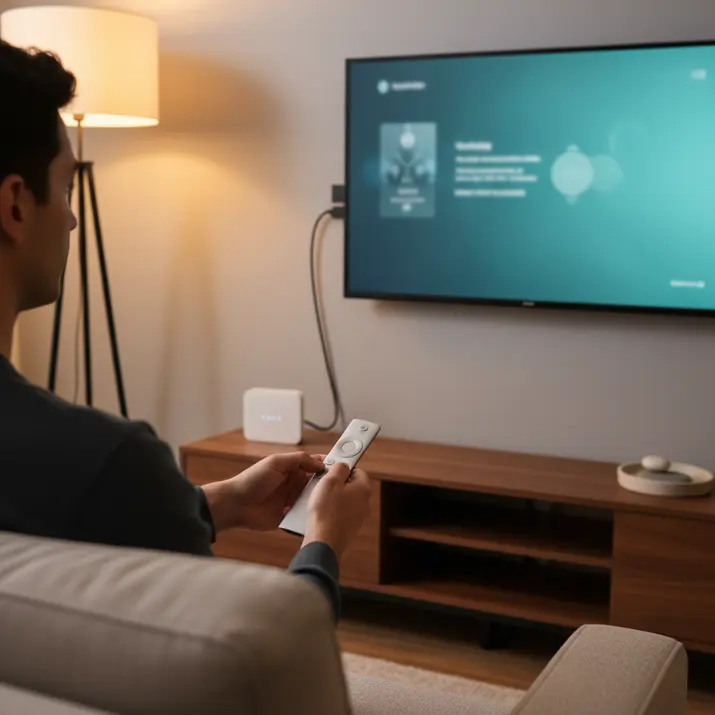
Step-by-Step Firestick Setup Guide
Setting up IPTV on Firestick takes under 10 minutes and unlocks access to bbIPTV’s plans starting at $14.99 for 1 month with a free trial. This process involves enabling sideloading, installing apps, and testing streams. Follow these steps carefully for smooth Firestick setup.
Expect the entire guide to take 5-10 minutes total. Common mistakes include forgetting to allow installations from unknown sources or entering incorrect URLs. Always double-check each step to avoid frustration.
- Go to Settings > My Fire TV > Developer Options and enable Apps from Unknown Sources. Amazon warns this increases security risks, so only use trusted sources.
- Search for and install the free Downloader app from the Amazon Appstore.
- Open Downloader, enter trusted app URLs like those for TiviMate, and install.
- Test with bbIPTV free trial streams in HD or 4K to confirm everything works.
After setup, clear the Downloader cache for better performance. This method ensures compatibility with bbiptv.org streaming tips for reliable IPTV on Firestick.
Installing IPTV Apps Safely
Safely install IPTV apps on Firestick by sideloading via Downloader to avoid risks, ensuring compatibility with bbIPTV’s 4K streaming. This follows Amazon’s security best practices from their Developer Blog. Stick to official developer sources for protection.
Grant permissions only when prompted and verify the app signature post-install. Clear cache immediately after to free up space. These habits prevent common issues like app crashes.
- Search ‘Downloader’ in the Firestick store and install it for free.
- Enter trusted URLs such as tivimate.com/firestick or iptvsmarters.com/apk in Downloader.
- Grant all necessary permissions during installation.
- Verify the app signature in settings and clear cache when done.
Experts recommend this approach for IPTV for Firestick setup. It keeps your device secure while enabling apps like TiviMate for bbIPTV use.
Adding bbIPTV Service
Adding bbIPTV to your Firestick app requires only the service credentials from your chosen plan, such as the 3-month $24.99 option. This step takes about 2 minutes. Verify details via bbIPTV support to avoid errors.
A common mistake is using an incorrect URL format, which prevents channels from loading. Input the M3U link and EPG precisely as provided. Test a few channels right away to confirm.
- Open the app and select ‘Add Playlist’ or ‘M3U URL’, like in TiviMate.
- Enter the bbIPTV-provided M3U link and EPG URL.
- Configure login with your username and password from the bbIPTV account.
- Load the playlist and test over 23,000 channels for quality.
Once added, enjoy seamless streaming tips from bbiptv.org. Adjust EPG settings for accurate program guides if needed.
Optimizing Streaming Performance
Optimize your Firestick for buffer-free 4K streaming with bbIPTV by addressing common speed bottlenecks specific to UK networks. UK Ofcom broadband standards set a minimum 30Mbps for HD streaming, yet many users face issues from Wi-Fi congestion or device overload. Start by checking your router settings to ensure speeds exceed 50Mbps.
Adjust your router for optimal performance by enabling QoS settings to prioritize streaming traffic. Connect via Ethernet if possible, especially on Firestick 4K models, which support adapters for stable connections. This setup aligns with IPTV For Firestick needs on bbiptv.org.
Manage Firestick storage by clearing at least 1GB of cache regularly through settings or developer tools. Uninstall unused apps to free resources. These steps reduce buffering during high-bitrate streams from bbIPTV.
For best results, use an Ethernet adapter compatible with Firestick 4K, bypassing Wi-Fi limitations common in UK homes. Test speeds with tools like Speedtest.net to confirm averages above Ofcom thresholds. Consistent tweaks ensure smooth IPTV playback.
Firestick Speed Tips
Boost Firestick speeds with these targeted tips tailored for bbIPTV’s high-bitrate 4K content. UK users often see improvements by focusing on network stability and device efficiency. Follow these practices for reliable IPTV For Firestick streaming via bbiptv.org.
Experts recommend switching to Ethernet over Wi-Fi for lower latency, as Amazon tests show noticeable gains in response times. Use a micro-USB Ethernet adapter on Firestick 4K models for wired reliability.
- Disable unused apps with the ADB command pm disable-user to free up processing power and reduce background drain.
- Update Firestick firmware monthly through settings to access the latest performance fixes from Amazon.
- Set DNS to 1.1.1.1 from Cloudflare in network advanced options for faster resolution and fewer timeouts.
- Enable developer options to allocate more RAM, aiming for 2GB availability by tweaking memory limits.
- Use Ethernet adapters to cut latency, ideal for UK networks matching Speedtest.net averages.
Apply these tips sequentially and monitor with Speedtest.net for UK-specific benchmarks. Regular maintenance keeps bbIPTV streams crisp on Firestick without interruptions.

bbIPTV Features for UK Viewers
bbIPTV delivers tailored value for UK viewers with 23,000+ channels including Premier League and BBC in FHD/4K, plus 100,000+ VOD titles across affordable plans. This setup suits IPTV for Firestick users seeking Sky alternatives. Cord-cutters often save GBP50/month compared to traditional packages.
Access to 100+ UK-specific channels covers live sports, news, and entertainment without contracts. A 12-month plan at $54.99 offers substantial savings over monthly Sky fees. Users report clear streams on Firestick during peak events like football matches.
Plans start low for testing, with multi-device support for streaming tips on TVs and mobiles. The service syncs watchlists across setups. A free trial lets you check reliability before any commitment.
For setup on Firestick, install via apps and load playlists quickly. This approach maximizes ROI by avoiding unused channels. UK viewers gain full access to local content effortlessly.
Channel and Content Access
UK viewers enjoy seamless access to 23,000+ live channels and 100,000+ movies/series on bbIPTV, fully compatible with Firestick and other devices. Categories include 200+ UK/Ireland channels like ITV and Sky Sports. Expect 50,000+ series episodes and 4K movies for varied viewing.
Plans fit different needs: 1 Month at $14.99 tests VOD libraries, 3 Months at $24.99 focuses on sports, and 12 Months at $54.99 unlocks the full library. Each supports IPTV apps for Firestick. Switch devices without losing progress.
- UK sports: Premier League in FHD from Sky Sports.
- News: BBC and ITV live feeds.
- Entertainment: 4K films and series episodes.
- VOD: On-demand titles across genres.
Sync works on Smart TVs, iOS, Android, ideal for family setups. Use streaming tips like stable Wi-Fi for buffer-free playback. This multi-device feature enhances daily use.
Recent Posts
- IPTV Media Streaming: Plans, Features & Setup Guide
- Reseller IPTV UK: Start a Profitable Streaming Business
- IPTV Free Trial UK: What to Expect & How to Start
- Best IPTV Providers: Compare Features, Prices & Support
- Free IPTV Trial UK: Safe Options & Setup Guide
- IPTV Test: How to Evaluate a Subscription Before You Buy
- IPTV Channel List UK: What’s Included & How to Choose
Frequently Asked Questions
What is the easiest way to set up IPTV on Firestick using bbIPTV?
Setting up IPTV for Firestick is straightforward with bbIPTV. First, ensure your Firestick is connected to the internet. Install a compatible IPTV player app like TiviMate or IPTV Smarters from the Amazon Appstore. Obtain your subscription credentials from bbIPTV, enter the M3U URL or Xtream Codes details in the app, and start streaming over 23,000 live channels in up to 4K quality. For detailed IPTV For Firestick: Setup, Apps, and Streaming Tips bbiptv.org, visit bbIPTV’s guides.
Which apps are best for IPTV streaming on Firestick with bbIPTV?
Top apps for IPTV on Firestick include TiviMate, IPTV Smarters Pro, and Perfect Player, all optimized for bbIPTV. These apps support EPG, VOD with 100,000+ movies and series, and multi-screen viewing. Download them directly from the Firestick Appstore for seamless integration and reliable performance on UK networks. Check bbIPTV for IPTV For Firestick: Setup, Apps, and Streaming Tips bbiptv.org.
How can I optimize streaming quality for IPTV on Firestick?
To get the best streaming tips for IPTV on Firestick, use a stable Ethernet connection or high-speed Wi-Fi (at least 25Mbps for 4K). In your bbIPTV app settings, enable hardware acceleration, adjust buffer size, and select auto quality. Clear cache regularly and restart your device. bbIPTV’s FHD and HD options ensure buffer-free viewing of live sports and UK channels.
Is bbIPTV compatible with Firestick and other UK streaming devices?
Yes, bbIPTV works perfectly on Firestick, Smart TVs, Android, iOS, and more. Its service delivers 23,000+ channels and vast VOD library in up to 4K, ideal for UK users. Plans start at $14.99/month with a free trial-simply load the playlist into your preferred Firestick app for instant access. Learn more with IPTV For Firestick: Setup, Apps, and Streaming Tips bbiptv.org.
What are common troubleshooting tips for IPTV on Firestick?
If you face buffering or app crashes on Firestick with bbIPTV, check your internet speed, update the app and Firestick firmware, and verify subscription details. Force stop the app, clear data, and relaunch. For persistent issues, bbIPTV support recommends VPN use on restricted networks. These IPTV For Firestick: Setup, Apps, and Streaming Tips bbiptv.org keep your UK streaming smooth.
Can I try bbIPTV on Firestick before committing to a plan?
Absolutely-bbIPTV offers a free trial to test IPTV on Firestick. Experience 23,000+ live channels and 100,000+ VOD titles in HD and 4K without risk. After setup via apps like TiviMate, explore plans from $14.99/1 month to $54.99/12 months. Full IPTV For Firestick: Setup, Apps, and Streaming Tips bbiptv.org available on bbIPTV.